
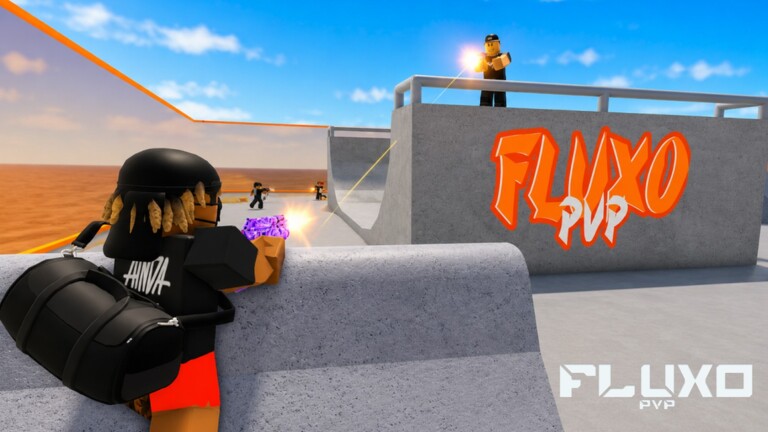
Fluxo PVP advertises PC, mobile, and console support. Console players get the same 1 Headshot = 1 Kill rule and the same playlists - Duels, FFA, AIMLAB - through stick and trigger inputs. Official PC notes map cleanly: left stick move, click-in sprint, face-button jump/roll, right stick look, triggers fire. The skill ceiling is still peek timing and crosshair height, not a forty-button ability bar.
This page is the console deep dive companion to the Controls Overview. If you bounce between platforms, lock a console-only sensitivity profile for a week before judging it. Constant slider fiddling after every MATCHMAKING loss is how stick players gaslight themselves.
Console control reference
| Action | Typical console bind | Competitive note |
|---|---|---|
| Move | Left stick | Walk near angles; avoid full-tilt sprint into held heads |
| Sprint | L3 / left stick click | Release before the expose for tighter peeks |
| Jump / Roll | A (Xbox) / X (PlayStation) | Mix-up tool - not every swing |
| Look / Aim | Right stick | Keep stick at head height for the map |
| Shoot | RT / R2 | First trigger pull matters most |
| Reload | X / Square | Reload in cover after won duels |
| Interact | X / Square (context) | Codigos ring, doors, event props |
Aim assist realism
Console lobbies typically include the platform aim helpers common to Roblox shooters. Assist can soften tracking, but it will not invent angle knowledge or save a wide panic swing into a pre-aimed head. Practice as if assist is a cushion, not an aimbot. Players who “rely on rotational glue” still lose to disciplined mouse peeks and claw mobile players who pre-aim doors.
- Start fights with crosshair already near head height
- Micro-adjust with right stick; do not whip 180s every contact
- Strafe with left stick while keeping right stick calm
- After deaths, ask whether assist failed or your peek failed
Sensitivity and dead zones
Pick look sensitivity that lets you check a close corner and a mid lane without fighting the stick. If you over-flick past heads constantly, lower sens slightly. If you cannot turn to a stair flank in time, raise carefully in small steps. Dead zones should be high enough to ignore stick drift and low enough that micro-aim still responds - drift alone can throw headshot duels.
Write your values down. After performance patches or client updates, confirm nothing reset before you blame Paleto Bank windows for “broken aim.”
Sprint, peek, and jump-roll on sticks
Approach covered. Full-tilt sprint into an open teller window is a donation. Release sprint (unstick L3) so your first visible frames are a controlled strafe. Jump-roll with A/X breaks some static pre-aims and changes head height, but spamming roll makes your silhouette predictable. Strong opponents wait for the apex.
Practice the chain from the How to Roll guide using console binds: walk info peek, decide, then roll only as the mix-up. Private servers are ideal for ten minutes of stair rolls without public third parties.
HUD, codes, and menus on console
Stick cursors can make tiny gift icons awkward. Prefer the Codigos ring in spawn when redeeming SORRYFORBUGS or Check-status seasonal codes. Watch for trailing spaces on the on-screen keyboard. Redeem on the account you actually play competitive matches on - rewards do not hop between unlinked profiles.
Console session template
- Confirm graphics / performance via Settings Optimizer notes for your hardware
- Five minutes AIMLAB head-level tracking
- Three minutes movement-only: strafe peeks without roll spam
- Two private or casual 1v1s focused on not over-exposing
- Queue MATCHMAKING Duels or FFA with a fixed round limit
- Tag one death: aim / angle / movement / panic
Space-equivalent movement tech translated into fight decisions.
Study jump / roll timingSurviving mixed input lobbies
You will die to mouse flickers. That is cross-play. Close the gap with information advantages: map callouts, better votes, faction trades, and stable FPS. Do not install console executors or “aim assist unlocker” malware pitched in Discord. Fluxo PVP’s zero-tolerance stance does not care that you felt disadvantaged.
Faction stacks should not mock console teammates mid-round. Assign roles that fit hardware - sometimes anchor spots with clearer lanes beat forced entry on stick. See Factions for culture rules and Private Servers for lab nights.
Troubleshooting console feel
| Symptom | Try this |
|---|---|
| Stick drift pulls crosshair | Raise dead zone; clean the stick |
| Shots feel late | Lower graphics; check network; warm up AIMLAB |
| Rolls feel random | Drill intentional rolls in private; read How to Roll |
| Cannot hit gift UI | Use Codigos ring; adjust UI scale if available |
| Tilt after PC lobby | Time-box public; scrim private with friends |
Compare PC and mobile deep dives with the shared control language.
Back to Controls hubConsole can climb Fluxo PVP. The players who do treat sticks like a precision instrument, keep sens locked, and refuse script fantasies when MATCHMAKING variance stings.